Innovate Your Teaching Workshops

Upcoming events
Teaching Innovation Workshops
Faculty and academic staff (graduate students, etc.) are invited to participate in CTL workshops, events, online courses, and grants.

Enroll in Digital Accessibility workshops to learn how to improve your course materials for accessibility standards.
Enroll in Teaching with AI workshops to learn how to integrate AI tools into your teaching and learning practice.
Enroll in Canvas Foundations workshops to understand the basics of preparing and leveraging your Canvas course.
Enroll in Teaching Essentials workshops to learn best practices in teaching and learning and with educational technology.
Enroll in Student Engagement workshops to explore new ways to connect with your students.
Browse SCHEDULE of FALL Workshops
Workshops and events are intended for UNC Charlotte faculty and academic staff.
Registration is required for all participants to attend and receive professional development credit.
Strategies and Tools
Part 1: Canvas Accessibility with UDOIT
Bring your courses into compliance with the latest requirements. This workshop will show you how to use UDOIT, the accessibility checker built in to Canvas, to identify and address common accessibility issues like headings, alternative text for images, color contrast, descriptive link texts, and video captions, and more.
- Nov 2, 2:30 PM – 3:30 PM
- Nov 10, 1:00 PM- 2:00 PM
- Jan 11, 10:00 AM – 11:00 AM
- Jan 20, 2:30 PM – 3:30 PM
- Jan 28, 11:30 PM – 12:30 PM
- Feb 19, 1:00 PM – 2:00 PM
- Mar 15, 10:00 AM – 11:00 AM
- Mar 18, 1:00 PM – 2:00 PM
- Mar 23, 11:30 AM – 12:30 PM
Part 2: Files and PDF Accessibility Checkers: Using Grackle, Adobe, and Microsoft Tools
Join this hands-on session on how to make your files and PDF accessible. Using Grackle, Adobe Acrobat, and Microsoft tools, attendees will learn how to scan their documents, interpret the checker reports and apply step-by-step remediations to make course files accessible.
- Nov 3, 10:00 AM-11:00 AM
- Nov 12, 10:00 AM-11:00 AM
- Jan 11, 11:30 AM – 12:30 PM
- Jan 20, 10:00 AM – 11:00 AM
- Feb 11, 1:00 PM – 2:00 PM
- Feb 15, 2:30 PM – 3:30 PM
- Feb 26, 11:30 AM – 12:30 PM
- Mar 15, 1:00 PM – 2:00 PM
- Mar 23, 2:30 PM – 3:30 PM
*NEW* Part 3: Designing Accessible Course Media
This training covers the technical and instructional aspects of accessible video design in Canvas. Learn to embed captions and transcripts, craft clear audio descriptions, and apply accessibility checks to recorded lectures and multimedia assignments. The session emphasizes usability, editing techniques, and aligning materials with accessibility standards to reduce barriers and improve student engagement.
- Nov 4, 1:00 PM – 2:00 PM
- Nov 9, 2:30 PM – 3:30 PM
- Jan 11, 1:00 PM – 2:00 PM
- Jan 27, 2:30 PM – 3:30 PM
- Feb 8, 11:30 AM – 12:30 PM
- Mar 16, 2:30 PM – 3:30 PM
- Mar 19, 11:30 AM – 12:30 PM
- Mar 24, 1:00 PM – 2:00 PM
*NEW* Part 4: Creating Accessible Instructional Materials with AI
This interactive workshop explores how faculty can use generative AI to create inclusive learning environments aligned with Universal Design for Learning (UDL) and POUR accessibility principles. Participants will discover practical ways to use AI as a co-pilot for rapid content remediation, including generating high-quality alt-text, simplifying complex jargon, and restructuring materials into WCAG-compliant formats.
- Nov 5, 11:30 AM – 12:30 PM
- Nov 11, 2:30 PM – 3:30 PM
- Jan 20, 11:30 AM -12:30 PM
- Feb 5, 1:00 PM – 2:00 PM
- Feb 23, 10:00 AM – 11:00 AM
- Mar 17, 11:30 AM – 12:30 PM
- Mar 22, 2:30 PM – 3:30 PM
- Mar 25, 10:00 AM – 11:00 AM
Digital Accessibility Champion
Complete all Digital Accessibility workshops and submit a UDOIT scan to earn your Digital Accessibility Champion Certificate.
Consultations
Digital Accessibility ‘Fix-It Clinic’
Have questions about making your course materials accessible? Drop in to the Digital Accessibility Fix-It Clinic, an open help session where faculty can get hands-on support with accessibility challenges in their teaching materials. Bring your Canvas pages, documents, slides, media, or any accessibility questions, and members of the Center for Teaching and Learning team will be available to help you troubleshoot issues, demonstrate quick fixes, and share practical strategies for improving accessibility.
This informal, come-and-go session is designed to help faculty prepare for the new university digital accessibility policy taking effect in late April. Whether you need help interpreting accessibility guidelines, fixing common issues, or learning tools that make accessibility easier, stop by and get the support you need.
Foundations of Generative AI
Overview of Gen-AI Tools for Education
This workshop introduces the exciting world of generative AI (GenAI) tools for college educators. A high-level overview of the generative AI landscape and how these tools use machine learning algorithms to generate creative content such as music, art, and text is reviewed. Examples of generative AI tools are shared and ways these tools can be used to enhance teaching and learning in the classroom and to boost academic productivity are discussed.
- Jan 14, 11:30 AM – 12:30 PM
- Jan 22, 1:00 PM – 2:00 PM
- Feb 8, 2:30 PM – 3:30 PM
- Mar 3, 10:00 AM – 11:00 AM
Understanding Gen Z: The AI Generation
This workshop examines key factors shaping Gen Z’s learning styles, including their relationship with Generative AI, learning preferences and challenges. Participants will explore the impact on student learning and discover pedagogical strategies tailored to Gen Z’s learning styles, including active learning, consistent feedback, real-world connections, multimedia integration, interactive teaching methods, and the use of Generative AI to create engaging and effective learning experiences.
Part 1: Introduction to GenAI and Prompt Writing
Join this workshop if you have never set-up an account or are a beginning user of generative AI (GenAI).
This hands-on workshop will cover an introduction to GenAI and MS CoPilot. Participants will set-up an account, learn how Generative AI produces a response, practice prompting, experiment with personalized learning techniques, and practice producing instructional materials that could be used in your courses.
- Jan 14, 10:00 AM – 11:00 AM
- Jan 22, 2:30 PM – 3:30 PM
- Feb 2, 1:00 PM – 2:00 PM
- Feb 24, 11:30 AM – 12:30 PM
Part 2: Student Study Skills with Generative AI
Join this session to learn how to better support students’ study skills in the age of AI. We will demonstrate how to prompt AI tools (like MS Copilot) to develop self-study guides, practice assessments, and serve as a personal learning assistant for students. By the end of the hour, you will have an action plan for how to communicate these strategies to students in your course(s).
Part 3: Student Writing Skills with Generative AI
Join this session to learn how to integrate generative AI tools effectively in writing projects. We will demonstrate how to chunk and scaffold project tasks for peer review and instructor support, as well as how to prompt A.I. tools (like MS CoPilot) to enhance the writing process at each stage. By the end of the hour, you will have a planning tool and strategies for integrating AI into writing projects.
Teaching with AI
Classroom Communication on AI Tools
Join us for this workshop on student facing communication and course policy guidelines for AI Tools! Jointly delivered by the Center for Teaching and Learning and Office of Student Accountability & Conflict Resolution, this session covers the new Academic Integrity policy related to student use of AI tools coupled with pedagogical considerations for supporting responsible classroom AI use. Resources and best practices will be shared!
Ethical Considerations for Teaching with Generative AI
This interactive workshop invites faculty to discuss ethical dilemmas in generative AI for education. Through real-life scenarios and guided dialogues, participants will explore issues like algorithmic bias, student data privacy, and the role of AI in assessments. The forum will foster open discussion and collaborative problem-solving, equipping faculty with practical strategies for ethical AI integration in teaching.
- Jan 14, 2:30 PM – 3:30 PM
- Jan 27, 1:00 PM – 2:00 PM
- Feb 10, 1:00 PM – 2:00 PM
- Feb 25, 10:00 AM – 11:00 AM
Zoom AI for Teaching
This workshop will explores the Zoom AI companion feature added on to Zoom meetings. Participants will learn how to use the Zoom AI Whiteboard feature for teaching, including creating, sharing, and collaborating on digital whiteboards. The session covers drawing tools, sticky notes, and integration with Zoom features, with live demos showcasing how to enhance virtual teaching through interactive and engaging lessons.
*NEW* Supporting Self-Directed Learning with Gemini Notebook
This interactive workshop explores strategies for supporting self-directed learning in the age of generative AI. Participants will discover how to leverage Gemini Notebook to transform various source materials into personalized, accessible, and interactive study tools for their learners..
*NEW* Using Gemini Notebook AI for Teaching
Discover Gemini Notebook, Google’s powerful, human-centered AI platform designed to transform source curation, critical reading, and course preparation. In this hands-on workshop, participants will explore how to use Gemini Notebook as an all-in-one tool to collect course materials, “talk” to documents via the built-in Gemini chatbot, draft customized notes, and even generate short audio podcasts.
Through demonstration, discussion, and practical application, you will learn strategies to integrate AI into everyday teaching workflows—enhancing critical thinking rather than hindering it. Attendees will walk away with everything they need to start using Gemini Notebook to elevate classroom learning and workflows right now.
*NEW* Ready-to-Use AI Literacy Canvas Modules for Students
Integrate ready-to-use AI literacy Canvas modules built by the UNC System and Google LLC (in partnership with Coursera). This brief orientation highlights the importance of AI literacy for student success and provides practical, “plug-and-play” strategies to integrate these pre-built resources into your existing courses. Through these modules, students have the opportunity to earn an official microcredential, including the Google AI Professional Certificate.
Visit our AI Literacy for Students page for more details about these modules and how to add them to your Canvas courses.
Canvas Foundations
Canvas: Starting Fresh
This workshop covers how to build a Canvas course from an empty course shell. Explore the Canvas interface, learn how to set the home page, communicate with your students, and practice adding content and resources – including the syllabus – to your Canvas course. We will also guide you in basic settings, page creation, setting up assignments that report to the gradebook, and how to get on-demand support.
- Jan 4, 2:30 PM – 3:30 PM
- Jan 12, 11:30 AM – 12:30 PM
- Jan 15, 2:30 PM – 3:30 PM
- Jan 21, 1:00 PM – 2:00 PM
Canvas: Assignments and Gradebook
Ensure students can view their updated grades on Canvas and track their progress throughout the semester. Learn how to use the Canvas Assignments page to set up your Gradebook to calculate course grades in a variety of ways. You’ll also learn how to create and grade assignments, enter grades with SpeedGrader, and use rubrics for communicating expectations of quality. Gradebook settings that automate grading functions and save time are covered.
- Jan 4, 11:30 AM – 12:30 PM
- Jan 12, 10:00 AM – 11:00 AM
- Jan 15, 1:00 PM – 2:00 PM
- Jan 21, 2:30 PM – 3:30 PM
Canvas Tools
Canvas: Quizzing
Learn how to create Canvas Quizzes for student assessments and manage online quizzes in a time-efficient manner. Giving frequent low-stake quizzes is considered a great student-centered learning technique that facilitates students becoming accountable for their learning. We recommend this workshop for anyone new to Canvas Quizzing or who needs to learn about updates to the Canvas Quizzing Tool. Migration of Canvas Quizzes created with the classic quiz tool is covered.
- Jan 4, 1:00 PM – 2:00 PM
- Jan 12, 2:30 PM – 3:30 PM
- Jan 15, 10:00 AM – 11:00 AM
- Feb 3, 11:30 AM – 12:30 PM
Canvas Studio: Engaging Learners with interactive videos
Canvas Studio has replaced Kaltura Capture and My Media for instructional videos! This workshop will cover the basics of using Canvas Studio to create and share instructional media through your Canvas courses. Topics include: how to upload existing media, recording new media, captioning videos, editing media, embedding media on pages, understanding the video Library, and creating assignments that involve video submission and having students submit assignments involving videos.
Exploring Canvas Course Analytics for Assignments, Quizzes, and Videos
This hands-on workshop equips faculty with the practical skills needed to move beyond simply viewing data and into strategic intervention. We will perform a deep dive into the three critical learning analytics tools within Canvas: Course Analytics (New Analytics), Canvas Studio Analytics, and Quiz Item Analysis. Participants will learn to interpret key student engagement and performance metrics (such as weekly participation, video viewing habits, and assignment trends) to identify patterns of struggle, implement timely support for at-risk students, and make data-driven decisions that elevate course design and student success outcomes.
*NEW* Canvas: Collaboration with Groups and Peer Reviews
This workshop explores how Canvas Groups and Peer Reviews can transform common teaching challenges into opportunities for meaningful collaboration, effective peer review, and greater student engagement. Participants will discover practical strategies for guiding students in the ethical use of AI to support learning, critical thinking, and high-quality peer feedback.
Teaching Foundations
*NEW* Syllabus: Recent Changes, Policies, and Best Practices
The course syllabus is one of the most important documents you create for your class. It serves as an agreement between you and your students about course goals and student expectations, plus it conveys a first–and lasting–impression with your students. This session provides strategies for enhancing the syllabus as a learning tool, information about the important components of a syllabus, ways in which you can enhance your syllabus, while ensuring all institutional and legal standards are met.
Getting Started with Active Teaching and Learning
Active learning requires students to be engaged in their learning rather than being passive listeners. To enhance learning, students must speak, write, think deeply, and collaborate with others about the content and concepts presented in class. This workshop provides an introduction to active teaching and an active learning framework that can be used to move toward active learning engagement and strategies in your classroom.
Designing and Implementing Group Projects
Group work is a high impact educational practice and it can have a significant effect on student success. When implemented effectively, it provides a memorable learning experience that helps students develop valuable skills such as engaging in conversations that require higher order thinking skills and assuming responsibility for their learning. In this session, we will focus on the elements that make up effective collaborative assignments or projects and what is the instructor’s role in facilitating these learning experiences.
- Jan 8, 11:30 AM – 12:30 PM
- Jan 13, 2:30 PM – 3:30 PM
- Jan 25, 10:00 AM – 10:00 AM
- Feb 25, 1:00 PM – 2:00 PM
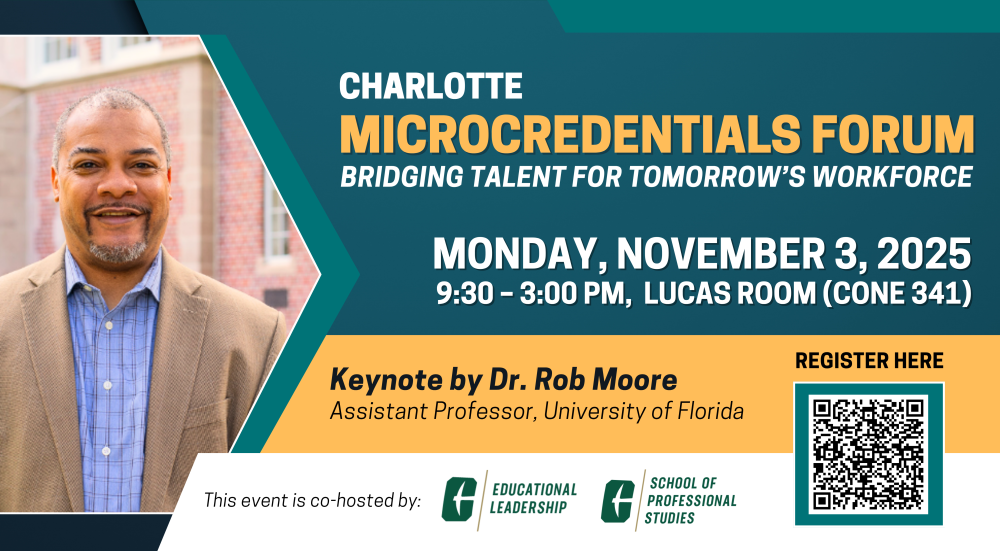
*NEW* Microcredential Minute: UNC Charlotte’s Microcredentials
This workshop breaks down the “New” UNC Charlotte Microcredentials Framework, which aims to build a trusted, scalable credential ecosystem across campus. We’ll cover the overall strategy, credential levels, and how the framework supports high-impact learning. We’ll also walk through the new proposal form and check out the campus-to-market pipeline.
Teaching with Technology
Active Learning with Poll Everywhere
This workshop will introduce faculty/staff to Poll Everywhere, and how to use the student response software in classroom and other learning spaces. During the workshop participants will explore how to get registered and create polling content. We will also guide you on downloading your class roster from Canvas into Poll Everywhere. Once polling responses have been gathered, you will learn how to export grades from the polling responses into Canvas.
Student Engagement Strategies
The Periodic Table of Emotions: Fostering Human-First Classrooms
Learn how a daily emotional “check-in” creates a brave space where individuals can engage in deeper discussions and embrace the ability to have challenging conversations.
Globally Networked Learning
Part 1: Overview and Benefits of Globally Networked Learning
Faculty are cordially invited to participate in an introductory workshop on Globally Networked Learning (GNL) program, an innovative experiential learning offering that enhances students’ global awareness, communicative skills and workforce readiness. Participants in this workshop will learn about GNL’s benefits to both faculty and students. This workshop is the first part of a two-part workshop series, or can be taken as a stand alone workshop.
Part 2: Collaborative Projects of Globally Networked Learning
Faculty are cordially invited to participate in an interactive case studies session of the various collaborative projects from the Globally Networked Learning (GNL) courses that UNC Charlotte faculty have taught. These projects represent a variety of academic disciplines and students’ learning outcomes of the GNL courses are discussed. Participants in this workshop will also learn about the design principles of these projects in an online collaborative learning environment. This workshop is the second part of a two-part workshop series, or can be taken as a stand alone workshop.
Part 3: GNL and Career Readiness: How to design assessments that boost students career skills
Globally Networked Learning (GNL) courses not only benefit faculty and institution by providing students international experience while not leaving Charlotte, it also boosts students’ career competencies. This new workshop introduces and applies the NACE (National Association of Colleges and Employers) competencies to virtual collaborative assignments in GNL. Participants will learn to translate the virtual collaborative assignments in GNL into concrete career skills for students’ professional development. This workshop is the third part of a three-part workshop series, or can be taken as a stand alone workshop.
Access THe AI Literacy Modules for Students
Enhance student AI literacy with these ready-to-use Canvas modules. Designed for any discipline, these flexible resources can be added to any course and will help students navigate generative AI responsibly and effectively.
Grow With Google: AI Professional Certificate
This professional certificate from Google and Cousera is an opportunity for students to learn practical AI skills for school, work and their future.
UNC System Foundational AI Skills For Students
This certificate program developed by the UNC System builds students in understanding of how AI tools work, their benefits, their risks. and how to use them responsibly.
Apply for a Scholarship of Teaching and learning (SoTL) grant
Faculty grants to evaluate the impact of AI in teaching and learning.
Orientation to the Scholarship of Teaching and Learning (SoTL) Program
Proposal Writing Course
Self-paced Canvas course with optional consultations
Call for Proposals
Due October 1st, 2026
browse online Training COURSES
Canvas Foundations and Tools
Student Success Strategies
Teaching Essentials
Run Dates: February 1 – 5
Run Dates: March 8 – 10
Browse Teaching Certificates
Essentials of Teaching and Learning
This certificate provides a foundation in important aspects of teaching and learning in higher education.
Essentials of Learning Technologies
This certificate program provides a foundation in essential learning technologies available at UNC Charlotte.
Digital
Accessibility
Champion
This certificate program provides a foundation in digital accessibility for online courses and materials.
Teaching
with AI
Champion
This certificate program provides a foundation in strategies for teaching and learning with Artificial Intelligence.
#InnovateYourTeaching #ReachYourTeachingGoals
Am I on Track?
Where are you in your professional development journey?
Download your CTL transcript for a list of completed CTL workshops, microcredentials, and milestones.
Explore PAST EVENTS
Celebrate and Discuss Faculty Scholarship of Teaching and Learning Research on our Campus
Spring 2025
Expand Your Use of AI Tools for Teaching and Learning on Charlotte’s first AI Literacy Day!
March 28, 2025
Build Your AI Skills through New AI Workshops offered throughout the Month of April
April, 2025
ICYMI
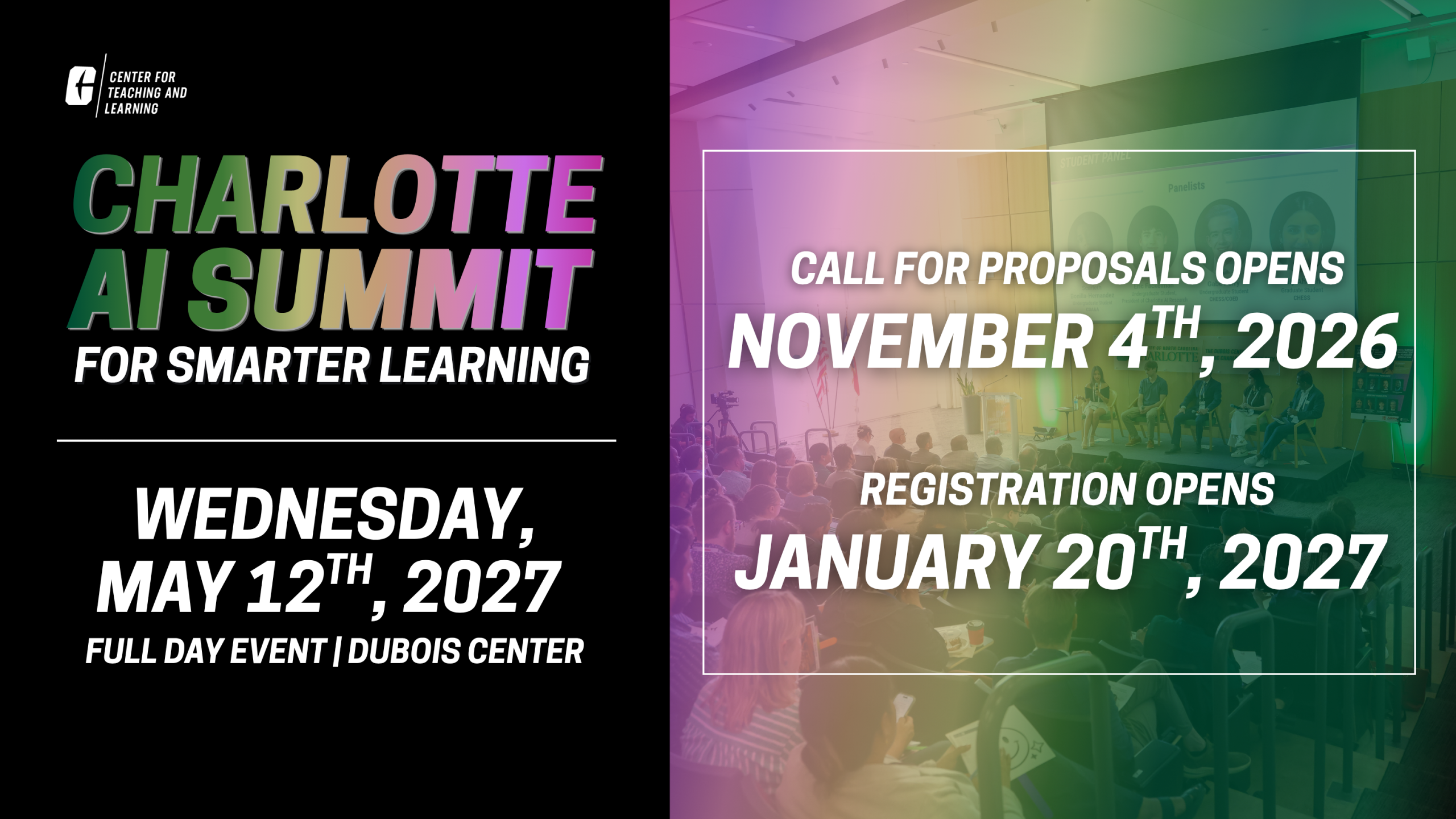
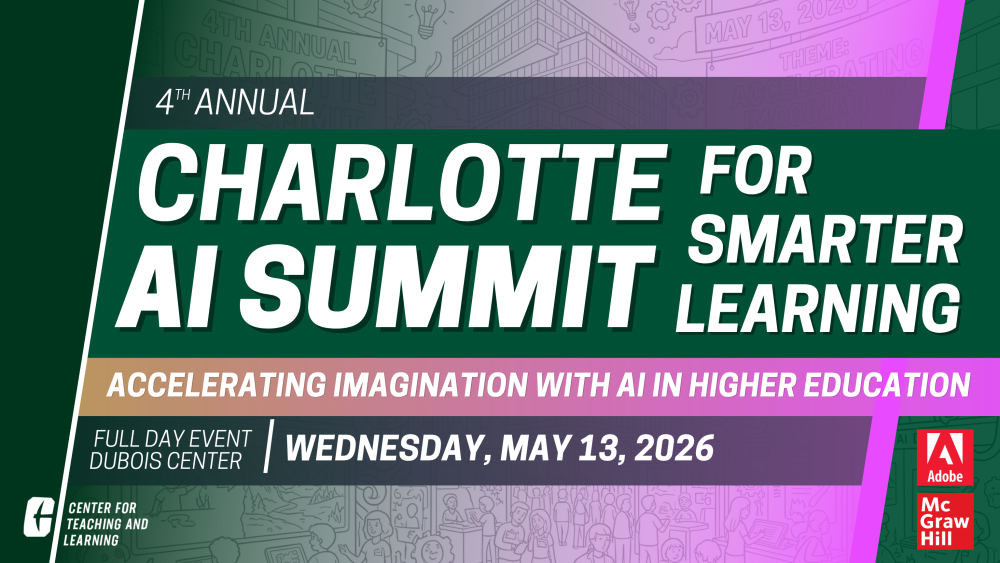
Catch up on what we learned at the 4th Annual Charlotte AI Summit for Smarter Learning!